
Subflow
Keep monthly, quarterly, and yearly renewals visible with a workflow designed for recurring bills and subscription planning.
Subflow is built around recurring payments. Instead of letting subscriptions disappear into your card statement, you can keep each billing cycle visible, organized, and easy to review.
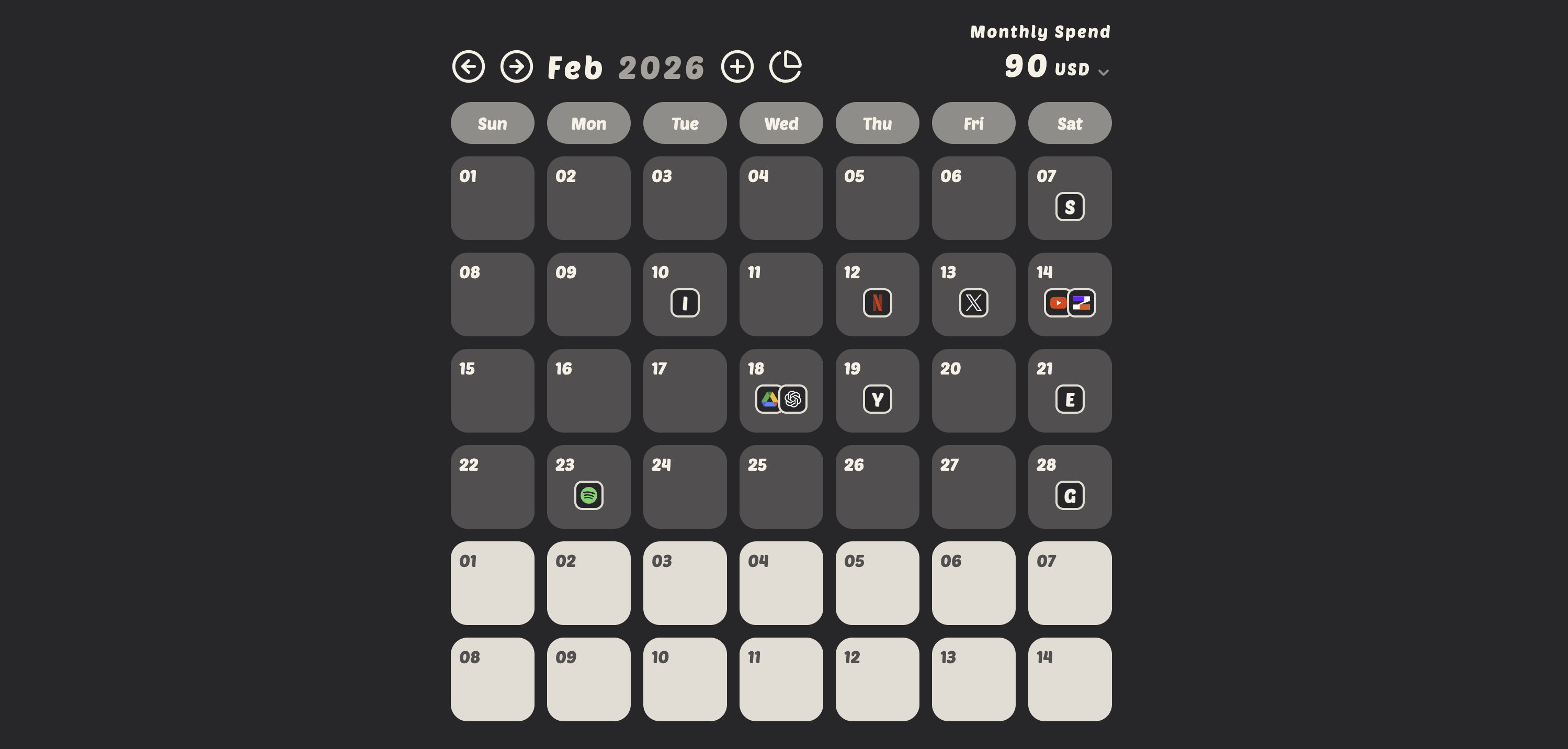
Switch between months and review every scheduled charge in a calendar layout that makes recurring payments easy to scan.
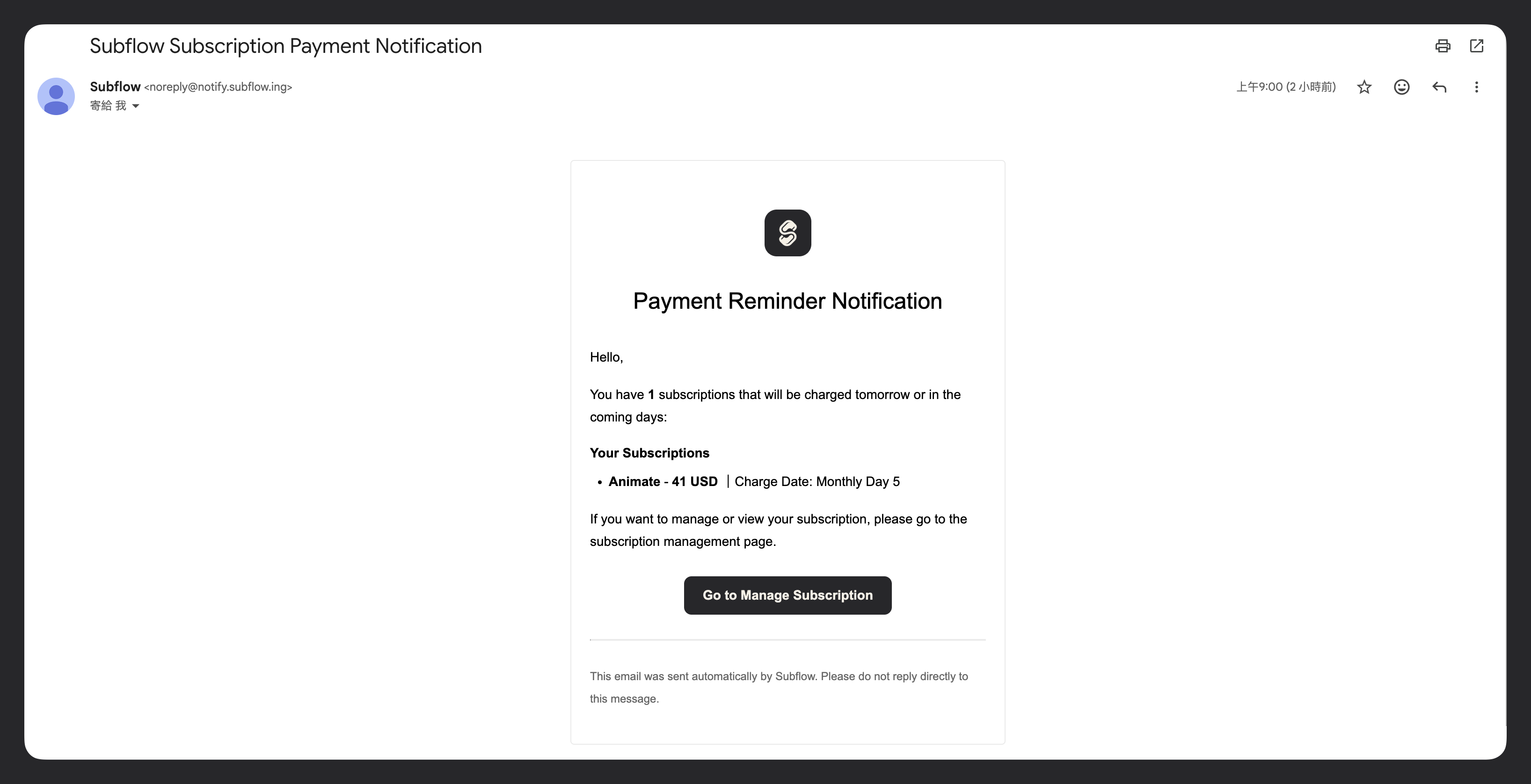
Remind you before subscription payments and notify you of upcoming items to pay.
A yearly domain renewal, a quarterly insurance plan, and a monthly streaming service can sit side by side in Subflow. Each subscription keeps its own cycle and renewal date, so you do not have to convert anything by hand to keep them comparable.
Month Switching: Click the left/right arrows to switch months.
Subflow supports monthly, quarterly, and yearly billing cycles, and the analytics view converts each one to a monthly equivalent so you can compare them side by side.
Yes. Turn on email notifications in More menu → Email Notifications, and Subflow sends an email reminder the day before any tracked subscription renews so you have time to review or cancel.
The analytics dialog includes a cycle breakdown that converts each subscription to its monthly equivalent so you can see how much of your spend comes from monthly vs. quarterly vs. annual plans, and an annual-upgrade hint flags monthly or quarterly subscriptions that have been active for more than a year.
Yes. The calendar lets you navigate between months, so you can review the billing history for any tracked subscription.
Subscription Reminders
Use email reminders to stay ahead of renewals, protect your budget, and reduce surprise charges across all of your subscriptions.
Subscription Tracker
Subflow gives you a clear view of monthly charges, recurring payments, and subscription spend without using spreadsheets.
Shared Subscriptions
Invite family, friends, or teammates into the same subscription workflow so shared costs stay visible and easier to coordinate.